Kaycee helps you scale, convert, and cook your recipes while reducing your mental load.
From collecting recipes to cooking through to the last step, Kaycee handles the busywork so you can focus on the food.
Build & Organize Your Library
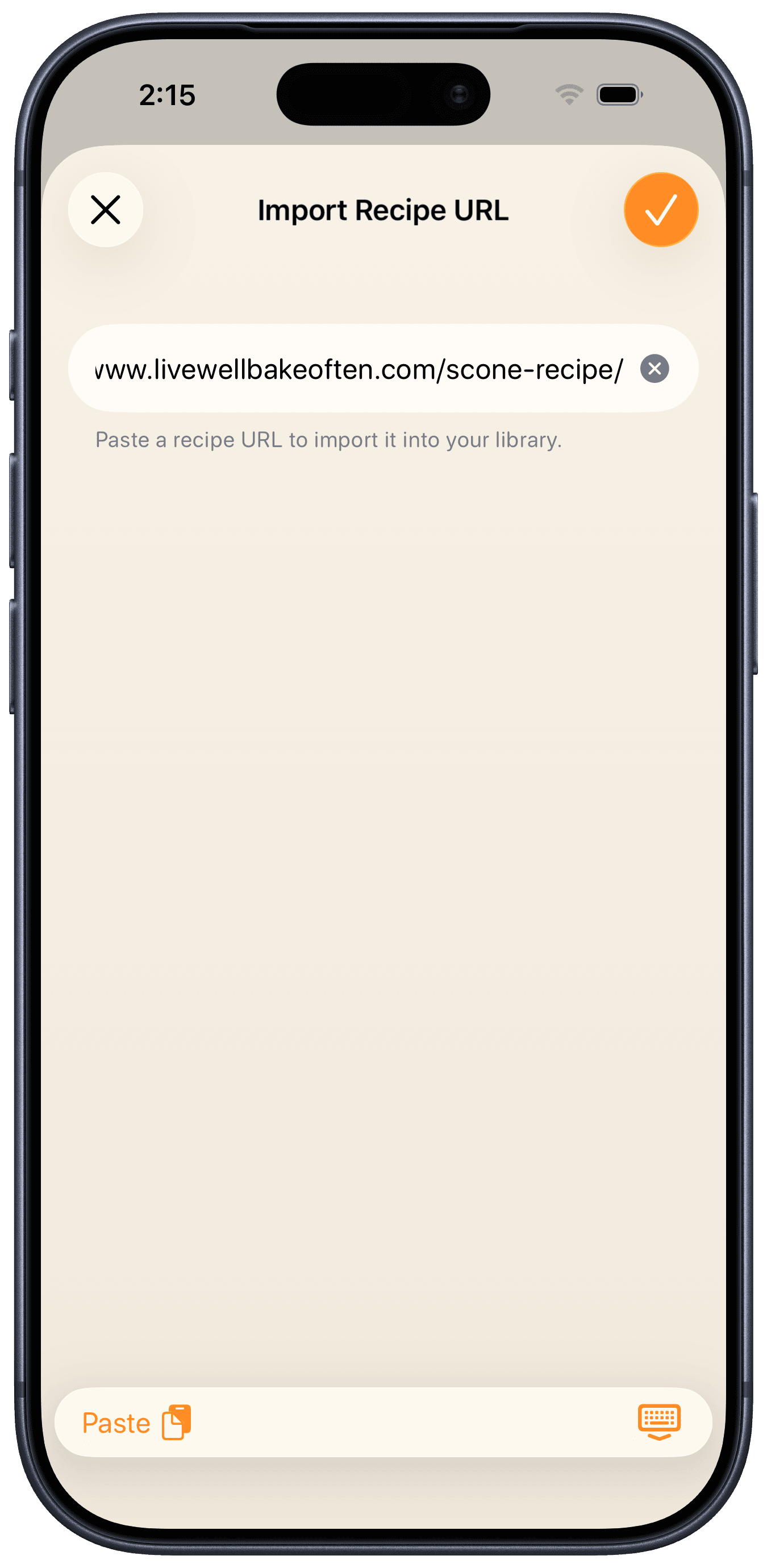
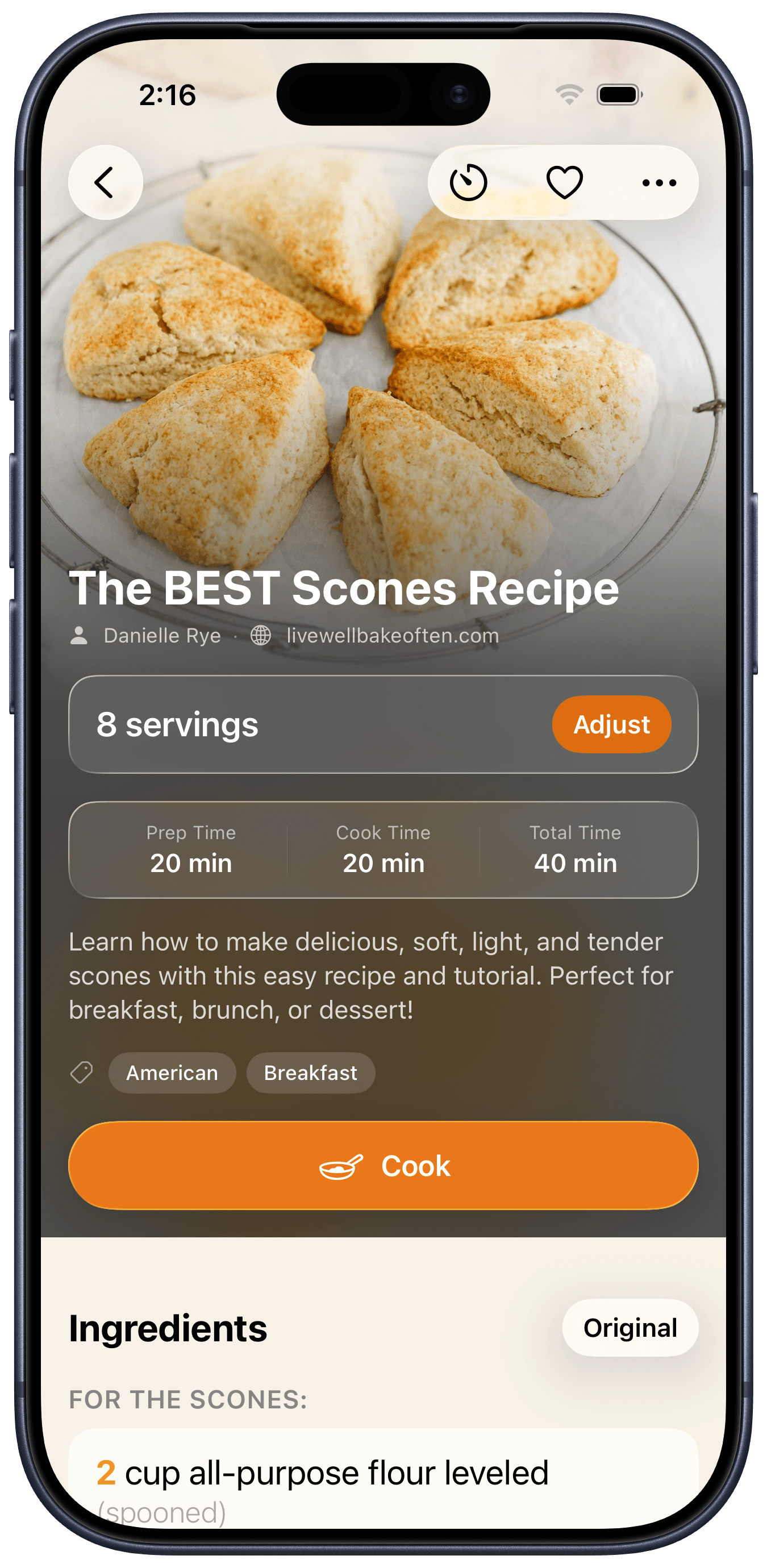
Add recipes by hand, import from any supported recipe site, or scan them straight out of your cookbooks, then keep it all organized.
Unlimited recipes, free forever. No caps, no trials
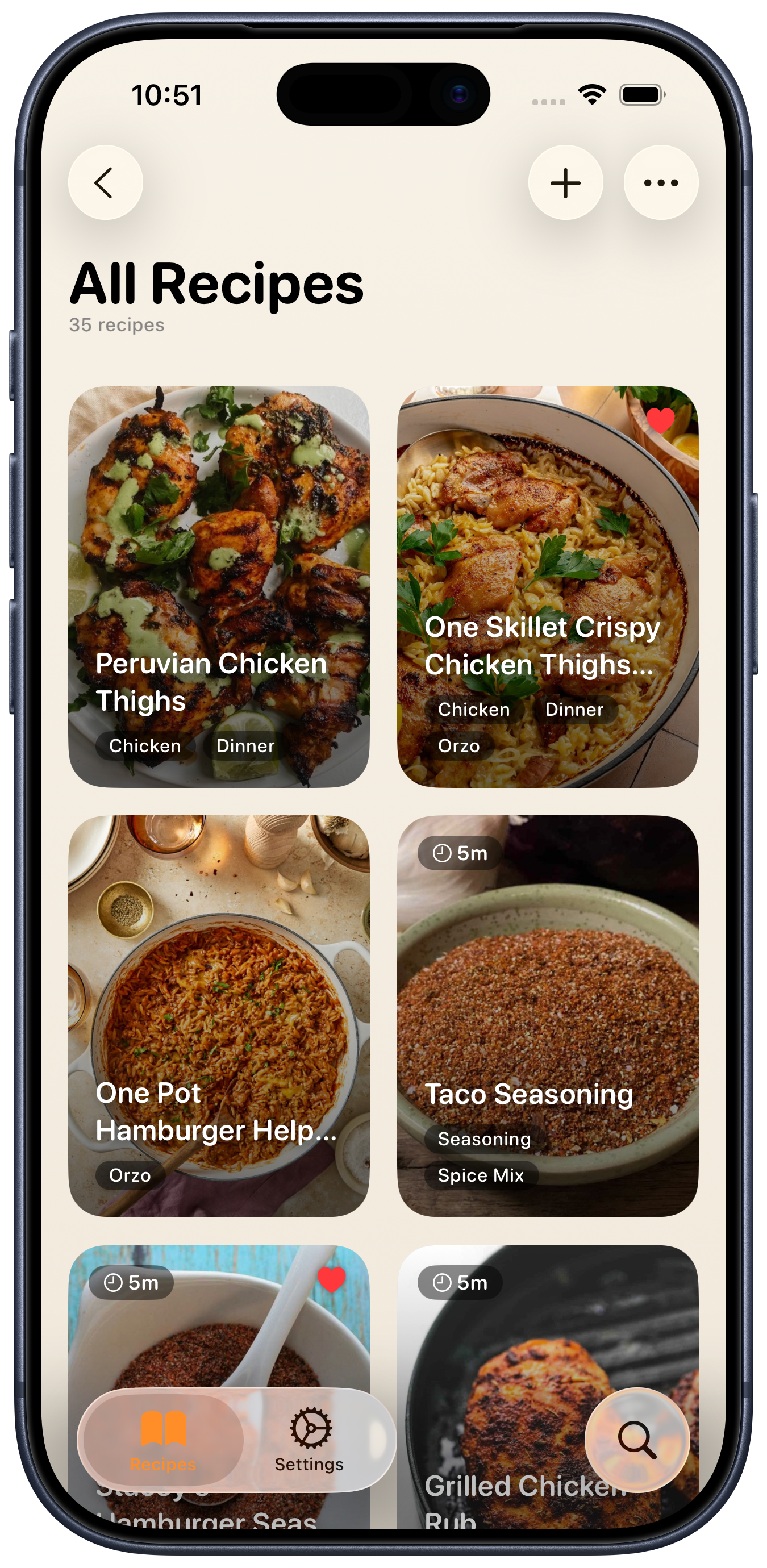
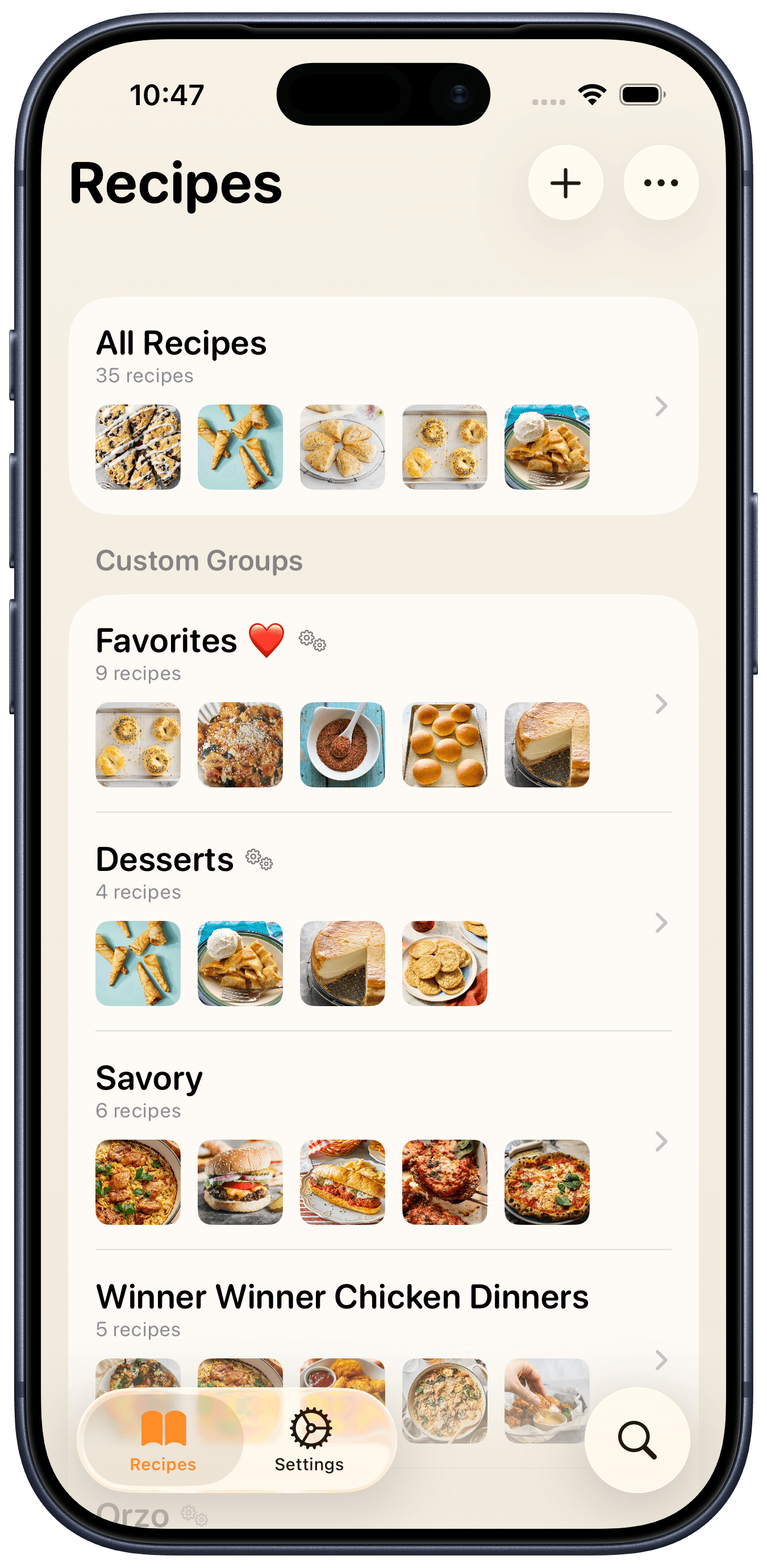
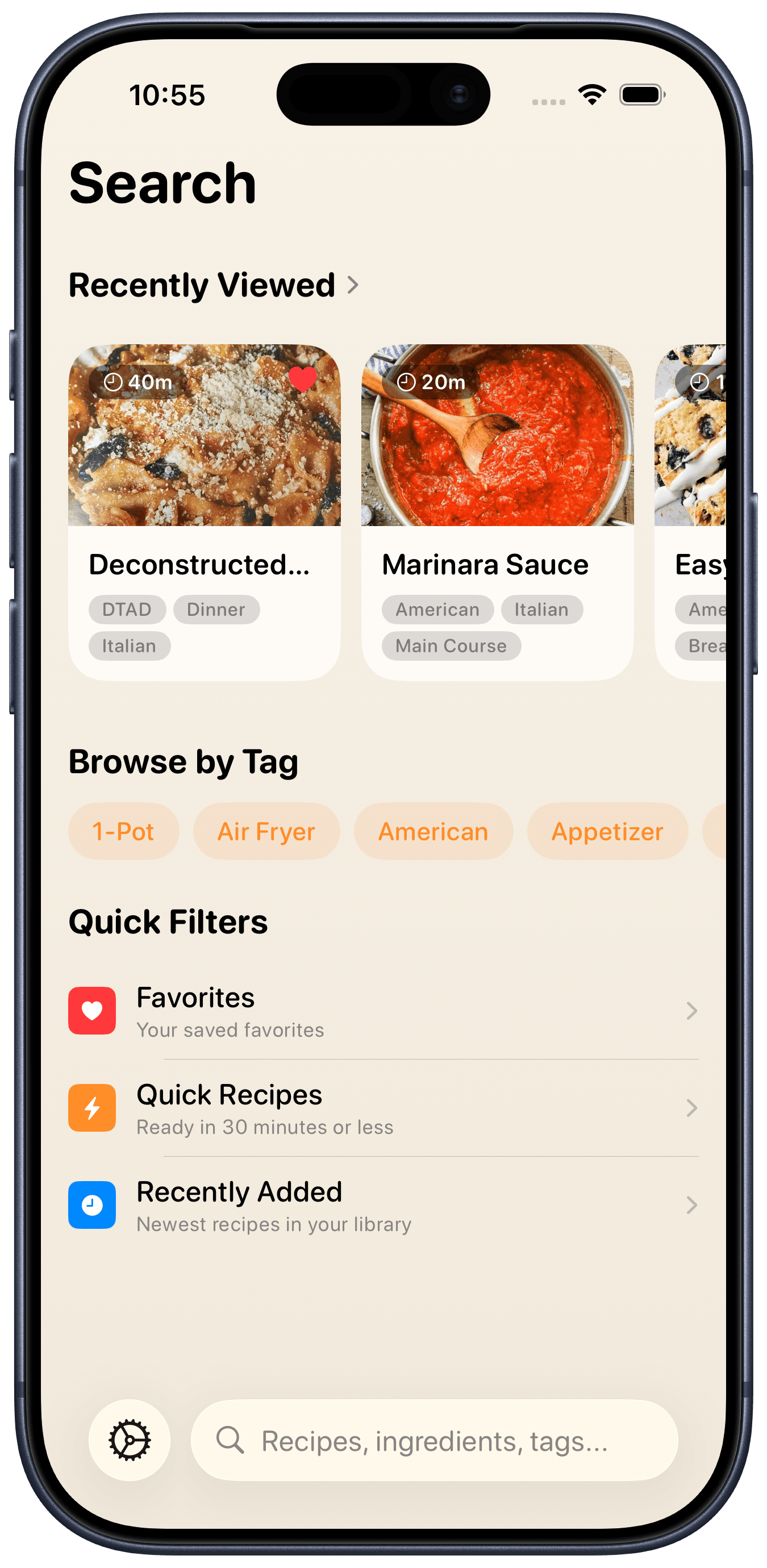
Groups, tags, and fast search
Import and export backups anytime
Scale Any Recipe
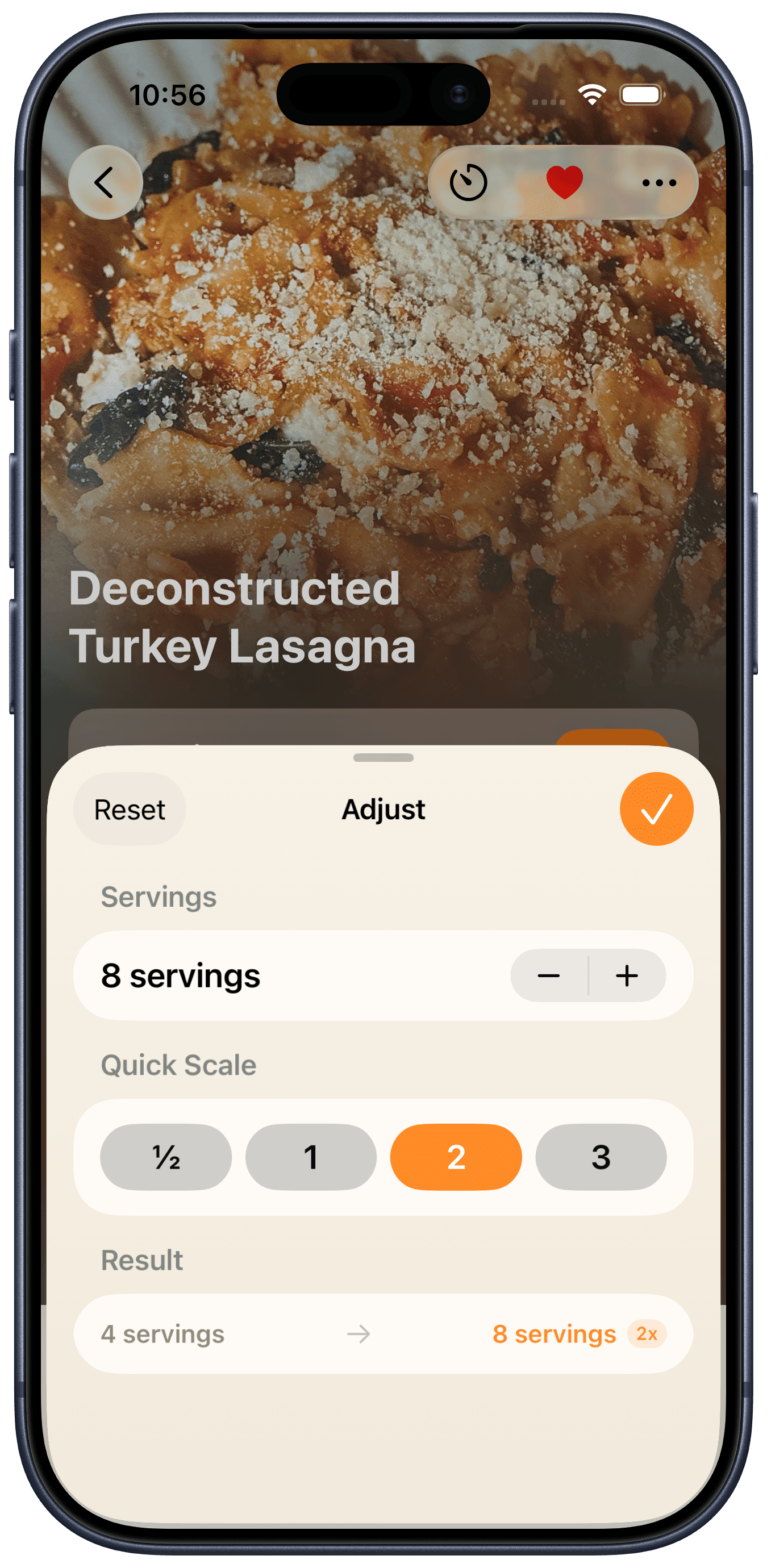
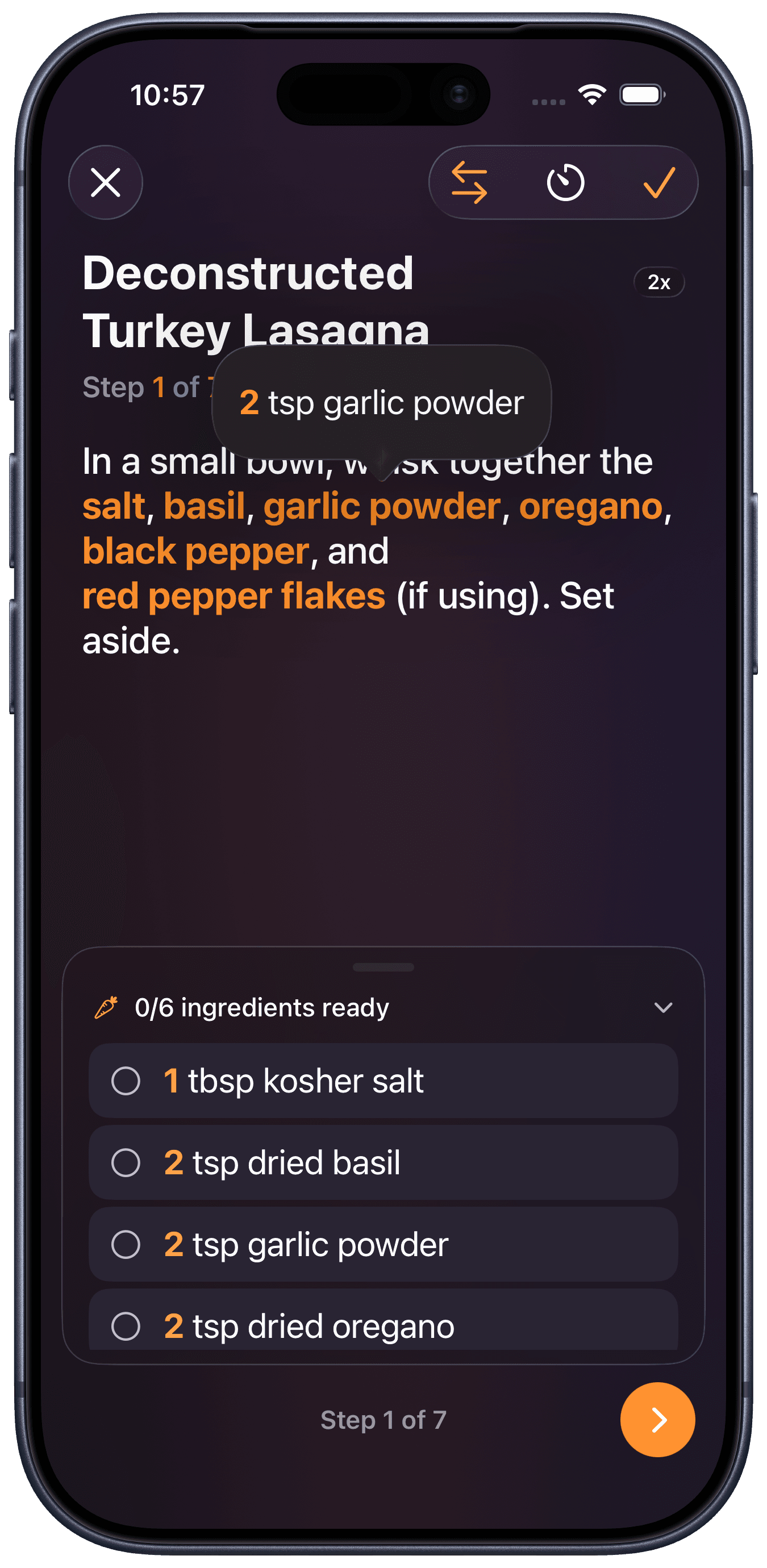
Halve it, double it, or hit any serving count, and every amount updates, including the ones inside the instructions.
Any multiplier, not just ×2 and ×½
Amounts in the cooking steps scale too
No more mid-recipe mental math
Smart Conversions
Switch a whole recipe between metric and imperial in a tap.
Convert the entire recipe at once
Glance at equivalents while cooking
Set your preferred units once and every recipe follows
Cook Mode & Timers
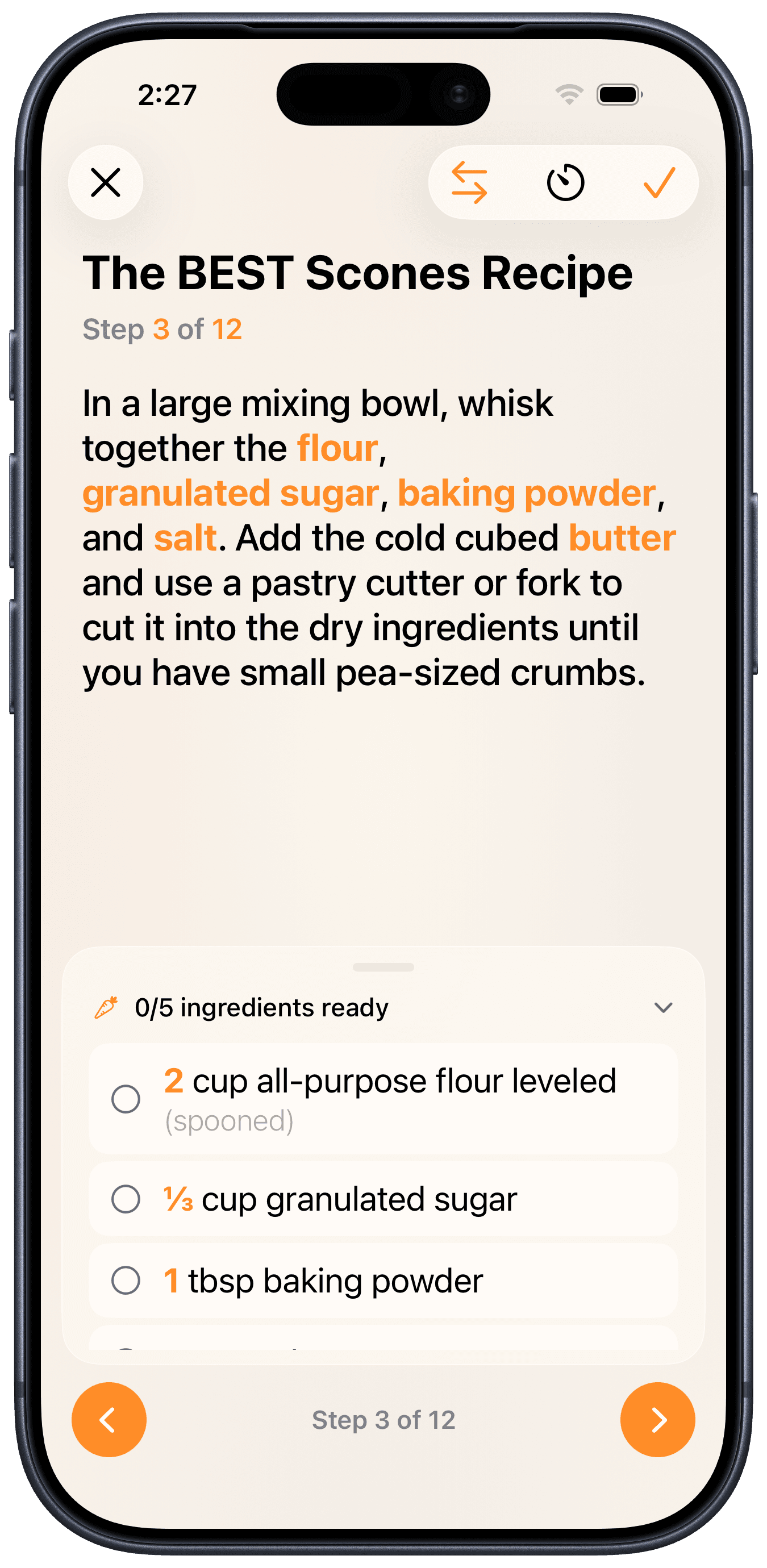
Step-by-step cooking with the ingredients you need right there in each step.
Tap an ingredient in a step to see its scaled amount
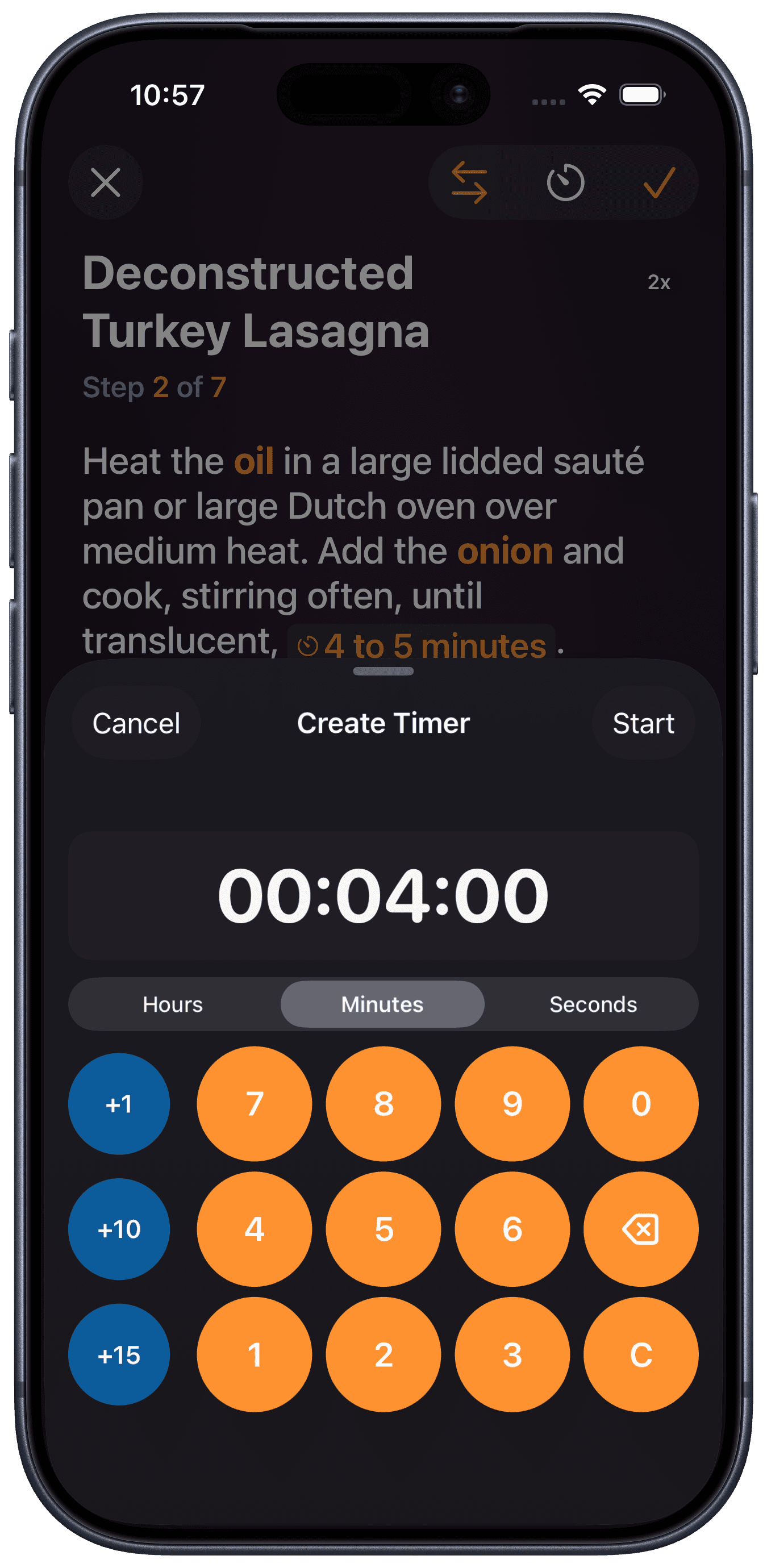
Start timers straight from the instructions
Timers keep running on your Lock Screen
Pro
Scan Recipes
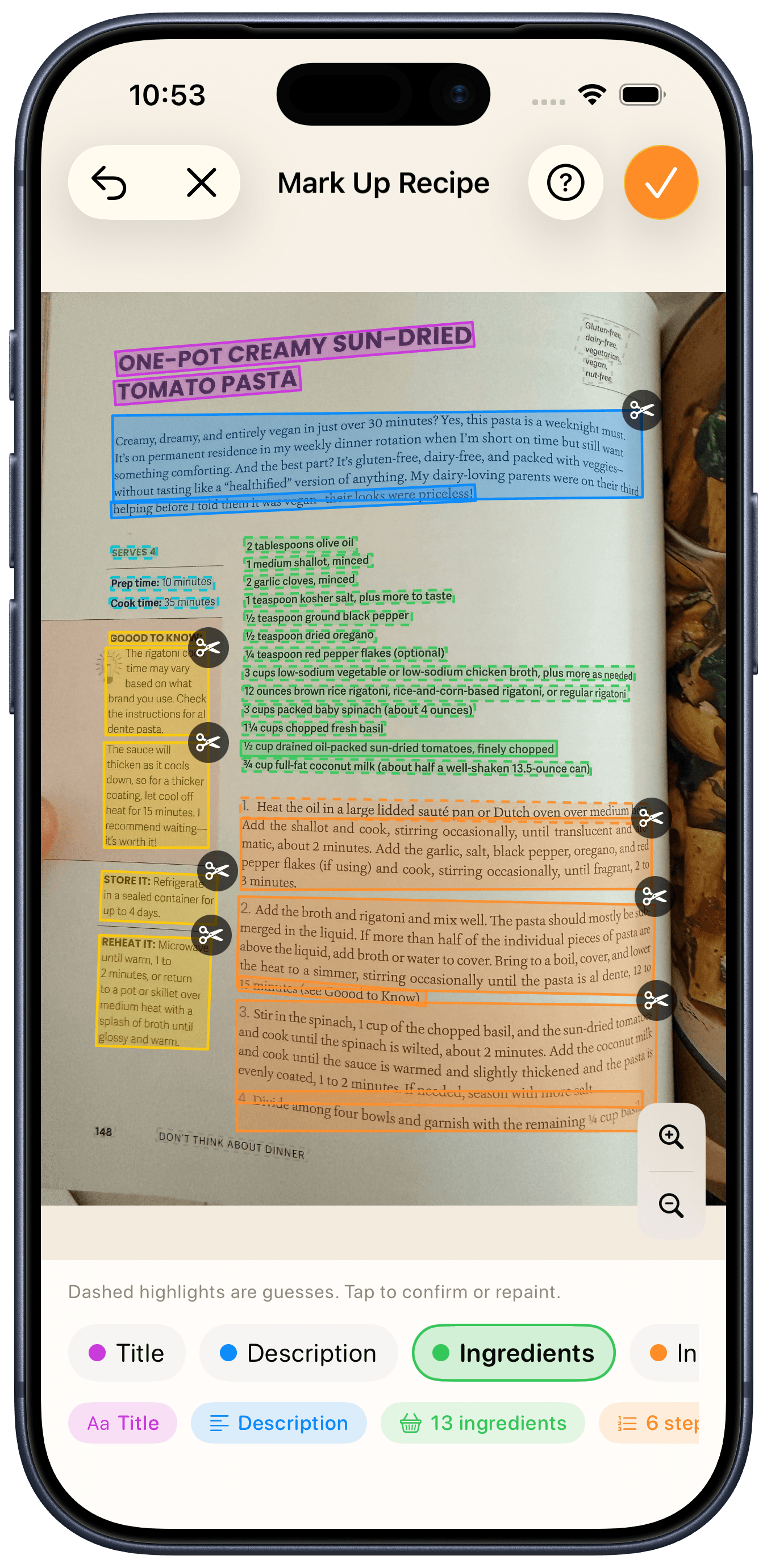
Point your camera at a cookbook page, a recipe card, or a PDF and turn it into a Kaycee recipe.
Works with the camera, existing photos, and PDFs
You choose what's an ingredient, a step, or a note. No AI guessing wrong
5 free scans for everyone; unlimited with Pro
Pro
Smart Groups
Groups that fill themselves based on rules you set.
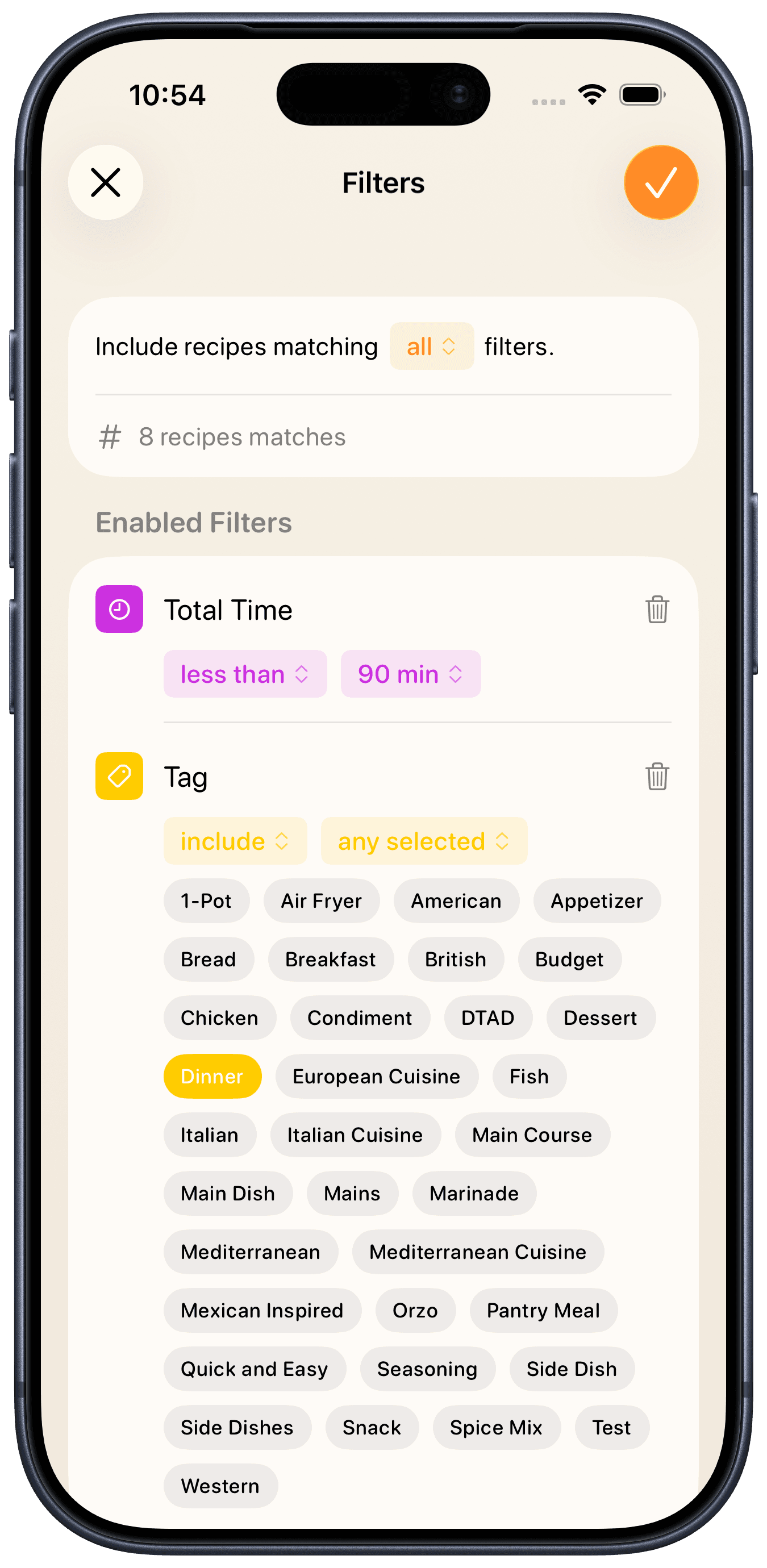
Automatic groups like “dinners under 30 minutes” or “dessert favorites”
Combine rules to see exactly the recipes you want
Existing smart groups keep working even if Pro lapses
iCloud Sync, Private by Design
Your recipes on your devices, and never anyone else's.
Synced through your private iCloud, end-to-end encrypted
No account, no tracking, no analytics. “Data Not Collected” on the App Store label
Sync and backups are free forever, never paywalled
How it works
Get going in three simple steps
01
Bring in your recipes
Type them out by hand, import them from any supported recipe site, or scan them from a cookbook.
02
Dial it in
Pick your servings and your units; Kaycee handles the kitchen math and updates every amount in the recipe.
03
Cook with confidence
Full-screen Cook Mode with the relevant ingredients and their amounts as well as timers built into each step.
A closer look
See Kaycee in action
From your recipe library to the last step of dinner, here's what it looks like along the way.
Build & organize your library
Every recipe in one place: grouped, tagged, and a quick search away.
Your recipes, in groups you control
The whole library at a glance
Find any recipe in seconds
Scale it, then cook it step by step
Pick a serving count and every amount updates, then Cook Mode walks you through it.
Scale to any serving count, no math required
Each step shows its ingredients, already scaled
Start timers from the instructions with a tap
Go further with Pro
Optional conveniences for power users. The essentials stay free.
Smart Groups fill themselves based on your rules
Scan recipes in from your camera or an image
Pricing
Everything you need to cook is free. Forever.
Kaycee Pro adds the conveniences, as a subscription or a one-time purchase you own forever. Your choice, with Family Sharing either way.
Kaycee
The essentials, never paywalled.
Freeforever
Unlimited recipes & importing
Scaling & smart conversions
Cook Mode & timers
Tags, groups & search
iCloud sync & backups
5 recipe scans
Kaycee Pro
Optional
Time-savers and customization on top of everything in Free.
$1.49/month
or $11.99/year · or $34.99 once, yours forever
Unlimited recipe scanning
Smart Groups
Accent colors & recipe card designer
Alternate app icon
Every future Pro feature
Cancel Pro anytime. Your recipes were never gated, and existing Smart Groups keep working.
Good to know
Frequently asked
Is Kaycee free?
Yes. Everything you need to cook is free, forever: unlimited recipes, importing, scaling, conversions, Cook Mode, timers, sync, and backups. Kaycee Pro ($1.49/mo, $11.99/yr, or $34.99 once) adds time-savers like unlimited scanning and Smart Groups, never the essentials.
Do I need an account or internet?
No account, ever. Your recipes live on your device and cooking works fully offline. Internet is only used to import from websites, to parse ingredients when you save, and for iCloud sync if you use it.
Is my data private?
Yes. Recipes are stored on your device and synced through your private iCloud with end-to-end encryption, so we can't see them, and nothing is tracked or sold. Kaycee's App Store privacy label is “Data Not Collected.”
What happens if I cancel Pro?
Nothing is taken away. Your recipes were never gated, existing Smart Groups keep working, and your customizations stay. You just can't create new Pro things until you're back.
Can I get my recipes out?
Always. Full backup export/import is free, so your library is portable and never held hostage.
Which devices are supported?
iPhone, running iOS 26 or later.
Put the calculator down. Pick Kaycee up.
Free to download, no account required. Your next recipe is about to get a whole lot easier.